
7 Best Apps for Your Gaming PC
Find out the seven best apps you should have on your gaming PC. Read on for the answers!
 | 4 minute(s) read | Published on: Aug 03, 2022 Updated on: Aug 03, 2022 |
If you have just built your ultimate gaming PC and are wondering what things you should install first, then take a look below. Several apps can improve your overall experience, from communication apps such as Discord to gaming apps like Steam which have an endless selection of games for you.
Steam
The free app provides you with a safe and secure place to buy and store all your favorite games. Any person that considers themselves a PC gamer will have Steam downloaded onto their PC. Because gamers worldwide widely use Steam, almost all of the most popular new releases will be available on the platform.
This app is also great for picking up some good game deals. They have a sales section that offers large discounts of up to 90% off for some games. They also have bundle packages so you can buy all of the games from a particular genre and save money.
Discord

If you plan to play games on your PC with friends, then Discord is a must-have. Apps such as Skype, TeamSpeak, and Bumble are outdated and not nearly as useful as Discord. Discord offers you a place to have channels for different friend groups as well as the ability to join channels with others that play the same game as you. The app is entirely free to use and has enabled gamers to connect from around the world. You can also use this app while on the go with the mobile app, which means you can stay in the group call even if you have to leave your house.
KeyTweak

KeyTweak is an excellent app for changing your keyboard configuration. The interest in unique and mechanical keyboards has exploded over the last few years. Many people spend hundreds of dollars getting the latest model with the rarest switches. But nowadays, you can pick up a decent keyboard that has all the RGB lighting you could want and is mechanical for under $30. Another benefit of KeyTweak is that being just 500kb, it doesn’t take up much of that valuable storage on your hard drive.
CleanMyPC
The best way to stop clogging your computer up with unnecessary files is by downloading an app like CleanMyPC. It targets files that are not performing a function and collects them in a garbage file so you can remove them. The interface of CleanMyPC is user-friendly and easy to use. With just a click of a button, you can clear up some space on your hard drive and stop it from becoming sluggish and slow.
OBS Studio
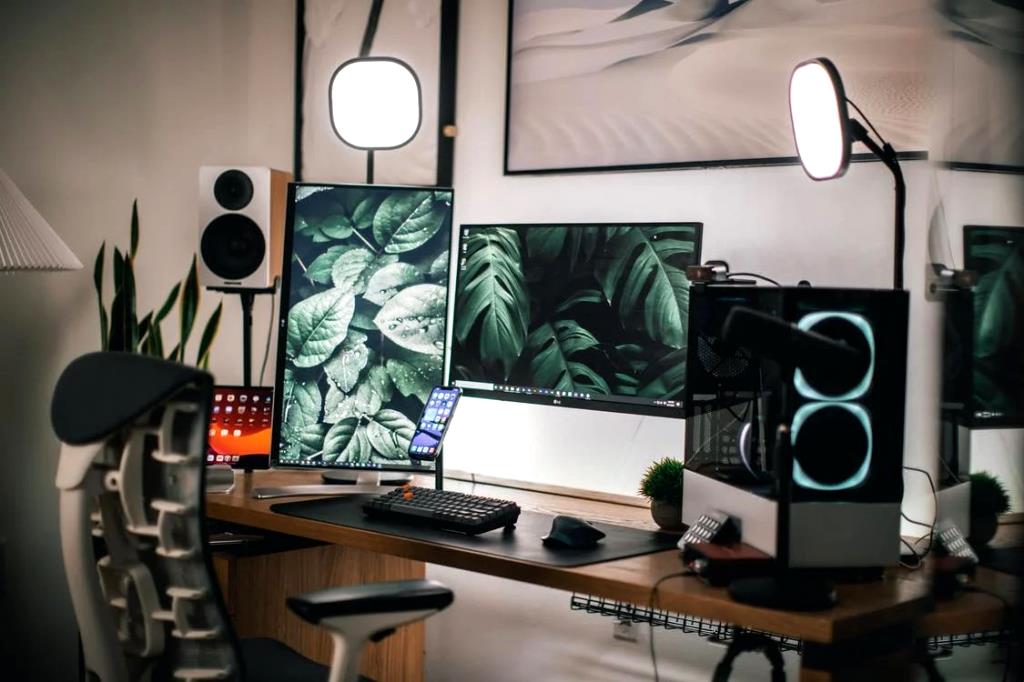
If you are thinking about recording some videos of you and your friends playing your favorite game, or perhaps you want to become Twitch’s next top streamer, OBS Studio has everything you could need. It is completely free, which means you can try it out without having to commit to spending any money. Because OBS Studio is so widely used, they are constantly making improvements and updates so that it runs as smoothly as possible. The interface is quite easy to understand after you play around with it for a while, so why not give it a go.
F.lux
We are all guilty of spending a little too long staring at a computer monitor, whether we get lost in our favorite game or are binge-watching a new series. F.lux is here to help reduce the strain on our eyes by adjusting the brightness depending on the time of day. The best part about F.flux is the ability to tailor it to your schedule; for example, you can set your brightness to be warm at sunset with a candle before bed and set the times that you normally wake up and go to sleep.
Bluestacks
If you are looking for a way to play Android games on your gaming PC, then Bluestacks is what you need. This emulator allows you to play all of your favorite android mobile games on your big computer screen. If your friends are away from their computer at home but want to play games with you on their Android mobile, then you can load up Bluestacks and join in with the fun from the comfort of your home.
Click here to create a mobile game